
Zoom Workplace
zoom.com

Keep exploring














| Category | Business |
| Installs | 1,000,000,000+ |
| Version | VARY |
| Updated | Jul 22, 2026 |





About this app
App Overview
Zoom Workplace is a business collaboration app built by Zoom, combining video conferencing, team messaging, phone calls, documents, calendar, mail, and whiteboard tools. Its primary job is to keep workplace communication and shared work inside a single mobile application rather than dividing activity among separate services. The app functions as a multi-service workspace, with distinct areas for meetings, chat, calling, document work, scheduling, and visual collaboration. AI features add meeting preparation, automatically generated notes and summaries, message catch-up, and content drafting based on work context. The intended usage pattern is frequent: short checks of messages and schedules sit alongside longer meetings, calls, and collaborative sessions. Device switching is also central, with live meetings and phone calls able to move between devices. Zoom Workplace feels distinctive through the breadth of its bundled tools and its attempt to make AI assistance part of ordinary workplace communication, although availability varies by region, plan, and license.
Key Features
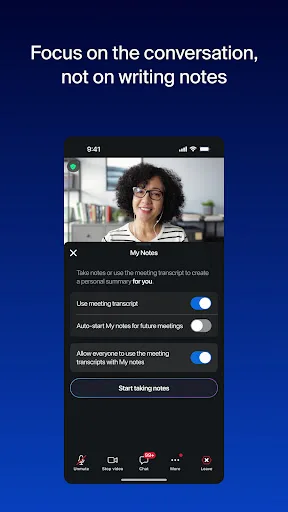
- Video Meetings Users can schedule or join video meetings with one tap, while automatic summaries and AI-generated notes help preserve the substance of a discussion.
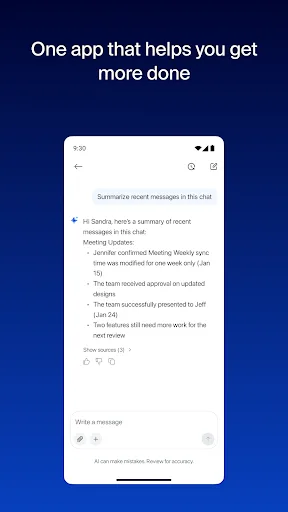
- Team Chat Team Chat supports messages with colleagues and external contacts, with AI assistance for catching up on unread conversations and drafting workplace content.
- Phone Calling Zoom Phone supports placing and receiving calls, while the service also offers SMS text messaging for accounts with the relevant license.
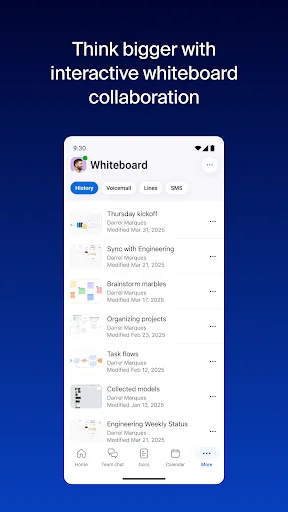
- Shared Workspaces Zoom Docs and Zoom Whiteboard provide spaces for shared documents, alignment, brainstorming, and collaboration alongside the communication tools.
- Device Switching A live video or phone call can move between devices with one tap, and Android supports Picture in Picture while tablets support Split Screen.
What Makes It Stand Out
Zoom Workplace stands apart primarily through consolidation. Its value comes from placing communication, shared work, scheduling, and AI assistance under one service, with enterprise-oriented controls available for supported plans.
- Broad Tool Coverage Meetings, chat, phone, documents, calendar, mail, and whiteboard functions are presented within one application, reducing the need to switch between separate workplace tools.
- Built-In AI Assistance AI can help prepare for meetings, summarize discussions, catch up on messages, and draft content, though regional and plan restrictions apply.
- Enterprise Security The description cites enterprise-grade security and single sign-on for supported use cases, giving the platform a workplace-oriented administrative focus.
Things to Know Before Installing
The broad feature set also brings practical limits. Zoom Workplace is free to install, but the service clearly separates its basic offering from paid capabilities, and its privacy implications deserve attention because it handles workplace communications and documents.
- Paid Features Certain AI, phone, recording, meeting, and collaboration capabilities require a paid subscription or another Zoom license, while plan availability can vary.
- Privacy Review Meetings, messages, notes, documents, calls, and other work content may pass through the service, so the developer’s privacy statement merits review before use.
- Mixed User Rating The app holds a 4.10 rating from more than 4.5 million ratings and over one billion installs, a generally positive but not unanimous reception.